Retro Console Repair and Maintenance Guide | Keep Your Classics Alive
Published on 25 October 2024
Retro Console Repair and Maintenance Guide: Keep Your Classics Alive
For retro gaming enthusiasts, the thrill of booting up a classic console transcends mere nostalgia. It's a connection to gaming history, a tangible link to simpler times, and a celebration of timeless gameplay. But like any vintage technology, retro consoles require care and attention to keep them running smoothly. This guide will equip you with the knowledge to perform basic maintenance and troubleshoot common issues, ensuring your cherished gaming relics continue to provide joy for years to come.
Preventive Maintenance: An Ounce of Prevention is Worth a Pound of Cure
Regular maintenance is the key to extending the lifespan of your retro consoles. These simple steps can prevent costly repairs and frustrating downtime:
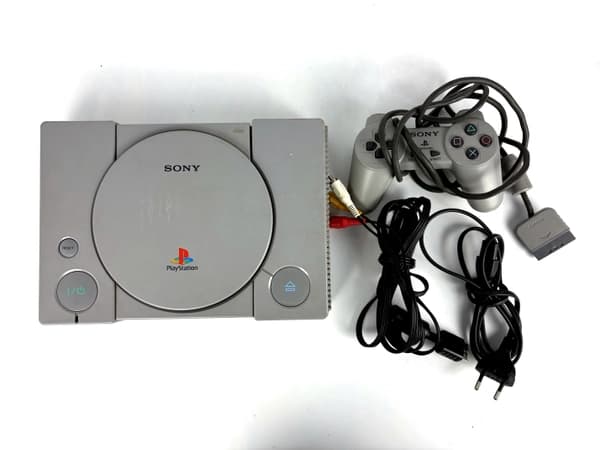
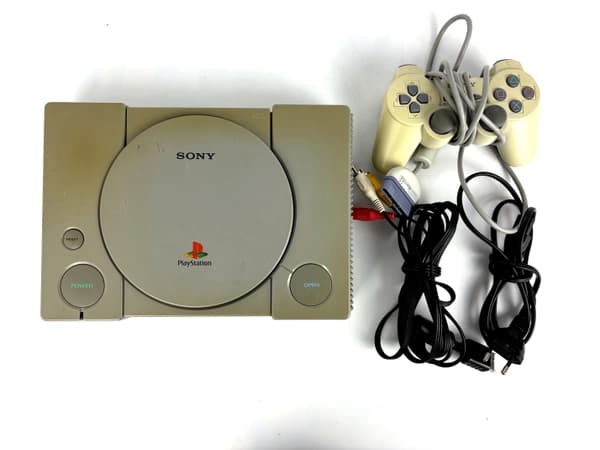
- Cleaning: Dust is the enemy of electronics. Regularly clean your consoles using compressed air, focusing on vents, cartridge slots, and controller ports. A soft, slightly damp (not wet!) cloth can be used to wipe down the console exterior. Avoid using harsh chemicals or abrasive cleaners.
- Proper Storage: Store your consoles in a cool, dry environment away from direct sunlight and extreme temperatures. Avoid stacking consoles on top of each other, as this can restrict airflow and lead to overheating.
- Controller Care: Clean your controllers regularly using compressed air and isopropyl alcohol on a cotton swab for sticky buttons or d-pads. Be sure to unplug the controller before cleaning.
- Power Supply Protection: Use surge protectors to shield your consoles from power fluctuations that can damage sensitive components.
Explore products
Explore more products from our catalogue.
Common Issues and Troubleshooting:
Even with meticulous care, problems can arise. Here are some common issues and how to address them:
- No Power: Check the power cord and outlet. If those are fine, the issue might be a faulty power supply or internal fuse.
- Game Doesn't Load: Try cleaning the game cartridge's contacts with isopropyl alcohol and a cotton swab. If the problem persists, the cartridge itself might be faulty, or the console's cartridge slot might need cleaning.
- Graphical Glitches: This can indicate a problem with the console's video output or internal hardware. Try different cables and connections. If the problem persists, it might require more advanced repair.
- Audio Problems: Check the audio cables and connections. Clean the audio ports. If the issue continues, the console's audio circuitry might need attention.
- Controller Issues: If a controller isn't responding, try cleaning the controller port and the controller's connector. If the problem persists, the controller itself might need repair or replacement.
When to Seek Professional Help:
While basic maintenance and troubleshooting can resolve many issues, some problems require professional expertise. If you're uncomfortable working with electronics or the problem persists after attempting basic fixes, consider contacting a reputable retro console repair specialist.
Keeping the Legacy Alive:
Retro gaming isn't just a hobby; it's a preservation of gaming history. By following these maintenance and repair tips, you can help ensure your classic consoles remain functional and continue to bring joy for generations to come. Enjoy the nostalgia, the challenge, and the timeless fun of retro gaming!