Conquer Input Lag in Retro Games: A Guide to Minimizing Delay
Published on 10/25/2024
Exploring the Science of Input Lag in Retro Games and How to Minimize It
For retro gaming enthusiasts, the pursuit of an authentic experience often clashes with a modern annoyance: input lag. That frustrating delay between pressing a button and seeing the action on screen can make the difference between a flawless victory and a frustrating defeat, especially in timing-sensitive genres like platformers, fighting games, and shoot 'em ups. But what exactly causes input lag in retro games, and what can be done to minimize it?
The Lagging Link: Understanding the Sources of Delay
Input lag in retro gaming stems from a complex chain of events, each adding its own tiny delay:
- The Controller: Older controllers, particularly those with long cables or wireless connections, can introduce a small amount of latency. The signal has to travel a physical distance, and that takes time.
- The Console: The console itself processes the input signal. This processing time, while generally short, can contribute to the overall lag. Different consoles have different internal architectures, leading to variations in processing speed.
- The Game: The game software itself needs to process the input and update the game state accordingly. Complex calculations or inefficient coding can add to the delay.
- The Display: Modern TVs often introduce significant lag through image processing features designed for newer media. Scaling, motion smoothing, and other enhancements, while visually appealing for movies, can be detrimental to retro gaming responsiveness.
Shop the gear from this story
Hand-matched to what you’re reading — tested, and covered by our warranty.


Minimizing the Lag: Tips and Tricks for a More Responsive Experience
Thankfully, there are several ways to mitigate input lag and bring back that snappy, responsive feel:
- Optimize Your Display: This is often the biggest culprit. Look for a "Game Mode" on your TV. This bypasses many of the image processing features, significantly reducing lag. If your TV doesn't have a Game Mode, explore its picture settings and try disabling features like motion smoothing, noise reduction, and dynamic contrast.
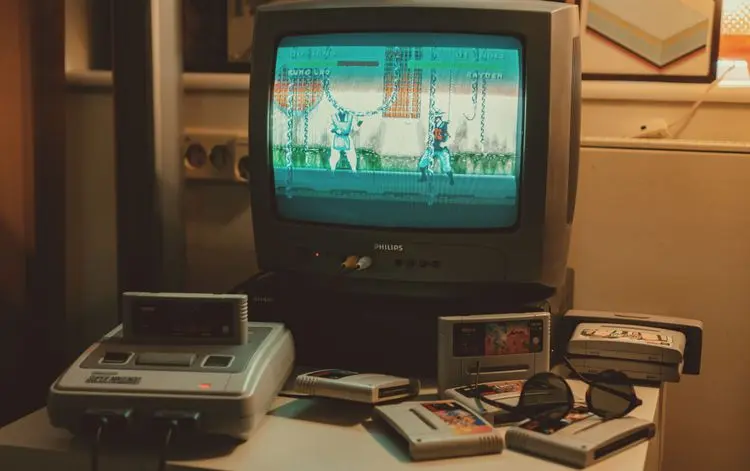
- Consider a CRT: While not always practical, a CRT (Cathode Ray Tube) television is the gold standard for minimal input lag. Their older technology inherently processes signals much faster than modern flat-panel displays. If you’re serious about lag-free retro gaming, a CRT might be the ultimate solution.
- Upgrade Your Cables: High-quality cables can sometimes improve signal transmission and reduce lag, especially for controllers with long cables.
- Explore Console Modifications: Some retro consoles have modifications available that can improve video output and reduce internal processing delays. Research carefully before attempting any modifications, as they can void warranties or even damage your console if done incorrectly.
- Emulation Options: Modern emulators often offer features to reduce input lag. Look for options related to frame skipping, vsync, and input buffering. Experimenting with these settings can sometimes significantly improve responsiveness.
The Quest for Zero Lag: A Continuous Journey
Eliminating input lag entirely might be an impossible dream, but by understanding the contributing factors and employing the right strategies, you can significantly reduce it. This will not only enhance your gaming performance but also bring you closer to that authentic retro gaming experience you crave. So, dust off those cartridges, fire up your console, and rediscover the joy of lag-free retro gaming! Happy gaming!
Keep the collection going
More retro finds picked to match this article.
Keep reading
More stories from the Retrobroker blog.
PAL vs NTSC-U vs NTSC-J: Understanding Video Game Region Codes
Unravel the differences between PAL, NTSC-U, and NTSC-J video game regions. Discover how region codes impact gameplay and compatibility. Start your retro gaming journey today!
Unlocking Nostalgia: How to Start Your Own Retro Gaming Collection
Discover the joy of retro gaming collection. Tips for beginners. Nostalgic journey through gaming history. Start your adventure today!
Awaiting New Challengers
Join The Bounty Board
Get exclusive first access to rare restocks, graded drops, and secret discount codes before anyone else.