Fix Retro Console Lag on Modern TVs: Ultimate Guide
Published on 10/25/2024
Optimizing Controller Inputs: How to Fix Lag for Retro Consoles on Modern TVs
Playing your favorite retro games on a modern, high-definition TV should be a dream come true. Bigger screens, vibrant colors – what's not to love? But many retro gamers encounter a frustrating issue: input lag. That dreaded delay between pressing a button and seeing the action on screen can ruin precision jumps, combos, and the overall retro gaming experience. Fortunately, there are ways to minimize and even eliminate this lag, allowing you to relive those classic gaming moments as they were intended.
Understanding the Lag: Why Retro and Modern Don't Always Mix
Older consoles were designed for CRT (Cathode Ray Tube) televisions. These TVs processed images almost instantaneously. Modern TVs, with their advanced features like upscaling, motion smoothing, and image processing, introduce a delay. This lag, while often imperceptible in everyday viewing, is a significant hurdle for timing-sensitive retro games.
Troubleshooting Input Lag: Where to Start
Before investing in new hardware, try these simple steps:
- Game Mode: Most modern TVs have a dedicated "Game Mode" or similar setting. Enabling this usually disables much of the post-processing, dramatically reducing input lag. Check your TV's manual for instructions.
- Input Source: Experiment with different HDMI ports on your TV. Some ports may be dedicated for gaming or have lower inherent lag.
- Cable Quality: A high-quality HDMI cable can sometimes make a difference. While a gold-plated cable isn't necessary, ensure you're using a cable appropriate for the video signal being transmitted.
Shop the gear from this story
Hand-matched to what you’re reading — tested, and covered by our warranty.
Hardware Solutions for a Lag-Free Experience
If tweaking your TV settings doesn't solve the problem, consider these hardware options:
- Retro Gaming Consoles: Many modern consoles specialize in playing retro games with minimal lag. These consoles often offer features like upscaling and save states, enhancing the retro gaming experience.
- Upscalers/Line Doublers: These devices process the retro console's signal and convert it to a format more compatible with modern TVs, often reducing lag in the process. Some models offer additional features like scanline filters for a more authentic retro look.
- CRT TVs/Monitors: The ultimate solution for zero lag is playing on an original CRT TV or monitor. While bulky and less convenient, this offers the truest retro gaming experience.
Choosing the Right Solution for Your Needs
The best solution for you depends on your budget, technical skills, and desired gaming experience. If you prioritize convenience and modern features, a retro gaming console or a high-quality upscaler might be the best choice. For the purists seeking the authentic retro experience, a CRT TV is the gold standard.
Beyond the Hardware: Optimizing Your Setup
Once you've addressed the hardware aspect, consider these additional tips:
- Wireless Controllers: Wireless controllers can introduce additional lag. If possible, use wired controllers for minimal delay.
- Controller Quality: A high-quality, responsive controller can make a noticeable difference in gameplay.
Reclaim Your Retro Gaming Glory
Input lag can be a frustrating obstacle for retro gamers, but it's not insurmountable. By understanding the causes of lag and exploring the various solutions available, you can optimize your setup and rediscover the joy of classic gaming with the responsiveness and precision you remember. Stop letting lag diminish your retro gaming experience; take control and reclaim your retro gaming glory!
Keep the collection going
More retro finds picked to match this article.
Keep reading
More stories from the Retrobroker blog.
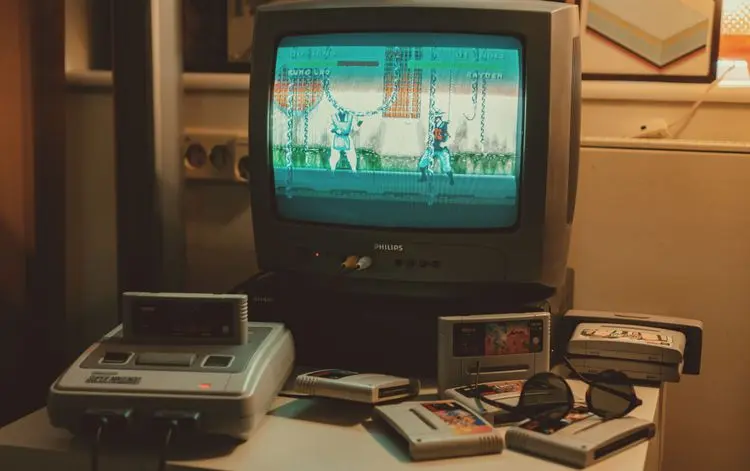
PAL vs NTSC-U vs NTSC-J: Understanding Video Game Region Codes
Unravel the differences between PAL, NTSC-U, and NTSC-J video game regions. Discover how region codes impact gameplay and compatibility. Start your retro gaming journey today!
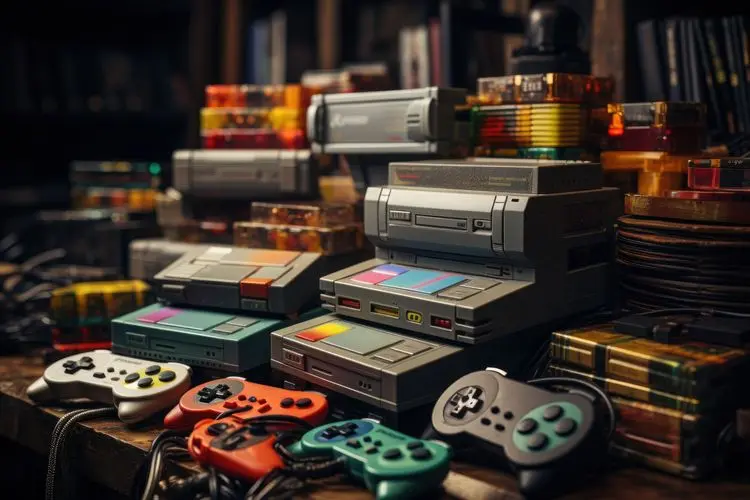
Unlocking Nostalgia: How to Start Your Own Retro Gaming Collection
Discover the joy of retro gaming collection. Tips for beginners. Nostalgic journey through gaming history. Start your adventure today!
Awaiting New Challengers
Join The Bounty Board
Get exclusive first access to rare restocks, graded drops, and secret discount codes before anyone else.