PS2 Games on PS3: Backwards Compatibility Explained | RetroBroker
Published on 10/24/2024
Are PS2 Games Compatible with PS3? A Retro Gamer's Guide
The PlayStation 2 (PS2) boasts an incredible library of games, from iconic RPGs to action-packed adventures. With the release of the PlayStation 3 (PS3), many gamers wondered if they could continue enjoying their PS2 collection on the newer console. The answer, unfortunately, isn't a simple yes or no. Let's dive into the complexities of PS2 backwards compatibility on the PS3.
The PS3 Models and PS2 Compatibility:
Sony's approach to backwards compatibility on the PS3 varied significantly between models. This is where things get a little complicated:
-
Original "Fat" PS3 Models (2006-2007): These early PS3 models (specifically the 20GB and 60GB launch versions, and some 80GB models) offered full hardware-based backwards compatibility. This means they included the actual PS2 hardware inside, allowing for near-perfect playback of almost all PS2 games. This is the holy grail for PS2 backwards compatibility on PS3.
-
Later "Fat" and Slim PS3 Models: Sony later removed the dedicated PS2 hardware to reduce manufacturing costs. Some later "fat" 80GB models offered software emulation for PS2 games. Software emulation means the PS3 mimics the PS2 hardware through software, which can lead to performance issues and compatibility problems. Not all PS2 games function flawlessly through software emulation. Slim models generally dropped PS2 backwards compatibility altogether.
-
Super Slim PS3 Models: These final PS3 revisions do not support PS2 games at all.
Identifying a Backwards Compatible PS3:
Shop the gear from this story
Hand-matched to what you’re reading — tested, and covered by our warranty.
If you're on the hunt for a PS2-compatible PS3, here's what to look for:
-
Model Number: The most reliable way is to check the model number on the back of the console. The original, fully backwards compatible models generally start with CECHA and CECHB. Some CECHC models also have hardware backwards compatibility. Models starting with CECHG and later typically rely on software emulation or have no backwards compatibility.
-
Number of USB Ports: The original 60GB and 20GB launch models have four USB ports on the front. Later models reduced this number. While not a foolproof method, it can be a helpful visual clue.
The Emulation Experience (and its Limitations):
Even on PS3 models with backwards compatibility, it's essential to manage expectations, especially with software emulation:
-
Performance: Emulated games might suffer from occasional slowdowns, graphical glitches, or audio issues. While many games run reasonably well, don't expect a perfect experience every time.
-
Compatibility: Not all PS2 games are compatible with emulated backwards compatibility. Some games simply won't run, while others might exhibit significant problems. Online resources and forums often list compatible games.
-
Memory Cards and Peripherals: Using original PS2 memory cards is typically required for saving game progress with backwards compatible PS3s. Some PS3 controllers may not work correctly with all PS2 games.
Alternatives to Backwards Compatibility:
If your PS3 doesn't support PS2 games, you have other options:
-
PlayStation 2 Console: The most straightforward option is to pick up a dedicated PS2 console. These are readily available on the secondhand market. Check out our selection of PS2 consoles and games at [link to PS2 section on retrobroker.com, e.g., https://retrobroker.com/search/playstation-2].
Keep the collection going
More retro finds picked to match this article.
Keep reading
More stories from the Retrobroker blog.
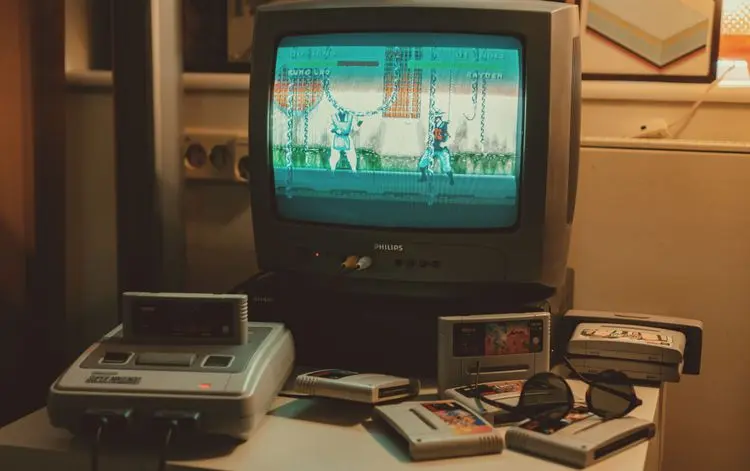
PAL vs NTSC-U vs NTSC-J: Understanding Video Game Region Codes
Unravel the differences between PAL, NTSC-U, and NTSC-J video game regions. Discover how region codes impact gameplay and compatibility. Start your retro gaming journey today!
Unlocking Nostalgia: How to Start Your Own Retro Gaming Collection
Discover the joy of retro gaming collection. Tips for beginners. Nostalgic journey through gaming history. Start your adventure today!
Awaiting New Challengers
Join The Bounty Board
Get exclusive first access to rare restocks, graded drops, and secret discount codes before anyone else.