PS1 Buying Guide: Which PlayStation 1 Model Is Best for You?
Published on 8/20/2026
PS1 Buying Guide: Which PlayStation 1 Model Is Best for You?
Navigating the dozens of different PlayStation 1 consoles released between 1995 and 2006 can feel like a minefield of failing lasers and missing ports. This definitive PS1 buying guide breaks down every major hardware revision, separating the reliable workhorses from the collector-only curiosities. You will learn exactly how to identify the best PS1 model for your setup, how to spot authentic games, and the easiest ways to bypass region locks.
The Original Fat vs. PSone Slim: Form Factor and Practicality
When buying a used PS1, your first major decision is choosing between the classic grey chassis and the miniaturised white PSone. The original fat PlayStation features a built-in power supply, which is incredibly convenient for cable management but generates internal heat that can degrade surrounding components over decades of use. Early and mid-production fat models also feature a serial port for link-cable multiplayer and a parallel I/O port hidden behind a plastic cover on the back.
The parallel port is a massive selling point for the original hardware. It allows you to plug in cheat cartridges like the Action Replay or GameShark, which are essential for unlocking region-free gaming without soldering. More importantly, modern Optical Drive Emulators (ODEs) like the PSIO plug directly into this port, allowing you to load game backups from an SD card while keeping the original CD drive intact.
In contrast, the PSone slim differences are largely about streamlining. Released in 2000 under the model number SCPH-102 in PAL regions, the PSone offloads its power supply to an external brick, drastically reducing internal heat. Sony completely removed the serial and parallel ports to shrink the motherboard, sacrificing cheat cartridge and plug-and-play ODE compatibility. However, the PSone boasts an incredibly durable laser assembly and a much smaller footprint. If you simply want to play original discs on original hardware without taking up shelf space, the PSone is a fantastic, highly reliable choice.
Decoding PS1 Hardware Revisions and Laser Reliability
Sony secretly overhauled the PlayStation's internals multiple times during its lifespan to cut manufacturing costs and fix glaring design flaws. Understanding these PS1 hardware revisions is crucial, as the model number stamped on the bottom sticker tells you exactly what kind of experience you are in for.
Early European units, specifically the SCPH-1002 series, suffer from a notorious design flaw. Sony placed the laser assembly directly beside the internal power supply. The constant heat warped the plastic tracks of the laser sled, causing the lens to drop out of alignment. This is the primary reason why early consoles are famous for skipping during Full Motion Video (FMV) sequences or refusing to load games unless turned upside down.
By the time Sony released the SCPH-5502, SCPH-7002, and SCPH-9002, they had completely relocated the laser assembly away from the power supply and upgraded the sled mechanism to die-cast metal parts. The SCPH-7502 and SCPH-9002 are widely considered the most reliable fat models for everyday play, offering simplified motherboards and highly resilient drives. If you are shopping for a fat console, these later SCPH-7000 and 9000 series units are the safest bet to avoid an immediate PS1 laser replacement.
| Model Series (PAL) | Release Era | Rear Ports Included | Laser Reliability | The Verdict |
|---|---|---|---|---|
| SCPH-1002 | 1995 - 1996 | A/V, Serial, Parallel, RCA | Very Poor | Avoid for daily play; prone to heat warping and skipping. |
| SCPH-5502 | 1997 | A/V, Serial, Parallel | Average | A solid middle ground; laser moved away from the power supply. |
| SCPH-7002 / 7502 | 1998 - 1999 | A/V, Serial, Parallel | Good | The best PS1 model for fat enthusiasts; great laser and parallel port. |
| SCPH-9002 | 1999 - 2000 | A/V, Serial | Very Good | Highly reliable, but lacks the parallel port for cheat carts. |
| SCPH-102 (PSone) | 2000 - 2006 | A/V | Excellent | The most reliable disc drive, but zero expansion ports. |
The Audiophile Myth: Is the SCPH-1002 Actually Better?
If you spend any time reading about early PlayStations, you will inevitably encounter the legend of the SCPH-1002 audiophile console. This specific launch-window model features dedicated red and white RCA audio jacks on the back, alongside a standard multi-out port. Inside, it uses a high-quality Asahi Kasei Microsystems (AKM) DAC chip, which sparked a persistent rumour that this cheap games console rivals CD players costing thousands of pounds.
The truth is much more complicated. While the AKM audio chip is genuinely excellent, Sony's implementation of the audio output stage on the SCPH-1002 motherboard lacks proper low-pass filtering. This results in an audio profile that sounds incredibly punchy and bright, which many listeners mistake for higher fidelity. In reality, it is simply uncoloured and slightly harsh, rather than strictly audiophile-grade.
Chasing the SCPH-1002 for its audio capabilities is generally a bad idea for retro gamers. The notoriously bad laser placement means that buying an unmodified 1002 usually results in a console that cannot read discs without skipping. Unless you plan to gut the disc drive entirely and install an ODE like the XStation, the minor audio differences are not worth the severe hardware unreliability.
Shop the gear from this story
Hand-matched to what you’re reading — tested, and covered by our warranty.
PAL vs. NTSC and Overcoming Region Locks
The great tragedy of European retro gaming is the 50Hz standard. Because older European CRT televisions ran at 50Hz compared to the 60Hz standard in North America and Japan, PAL PlayStation consoles output a slower video signal. As a result, many PAL games run roughly 17 percent slower than their NTSC counterparts and feature large black borders squashed at the top and bottom of the screen.
Understanding PS1 PAL vs NTSC differences is vital if you want to play games as the developers intended. Unoptimised PAL ports of games like Tekken 3 or Final Fantasy VII feel sluggish compared to the NTSC-U (North American) or NTSC-J (Japanese) versions. To play these faster 60Hz imports on a European console, you must bypass the motherboard's strict region lock.
Historically, the only way to achieve this was by installing PS1 modchips. Stealth chips like the Mayumi v4 or MM3 require soldering wires directly to the motherboard, but they offer a seamless, boot-anything experience for both imports and backups. If you prefer not to solder, modern softmod solutions are brilliant. Tools like Tonyhax or FreePSXBoot run entirely from a custom memory card. You simply plug the modded memory card into slot two, boot a genuine game to trigger the exploit, and then swap in your import disc to play at full 60Hz speed.
Essential Cables: Getting the Best Picture on Modern TVs
The video cable you use will make or break your PlayStation experience. The console originally shipped with a standard composite cable featuring yellow, red, and white RCA connectors. You should ditch this cable immediately. Composite video blends all colour and brightness data into a single signal, resulting in a blurry, colour-bleeding image that looks terrible on both CRTs and modern flat screens.
Thankfully, every single PlayStation 1 model outputs a native analogue RGB signal. If you are playing on a traditional European CRT television, buying a high-quality, properly shielded RGB SCART cable is the absolute best upgrade you can make. It separates the video data into pure red, green, and blue channels, delivering razor-sharp pixels and vibrant colours that make 2D games like Castlevania: Symphony of the Night look breathtaking.
For modern flat-screen TVs, connecting an old console is trickier because modern displays struggle to process the PS1's low-resolution 240p signal, often adding severe input lag. To fix this, you need a dedicated line multiplier. High-end setups use devices like the OSSC or RetroTINK, which take the RGB SCART signal and scale it perfectly to 1080p or 4K via HDMI. For a more budget-friendly, plug-and-play solution, the RAD2X cable pulls the native RGB signal directly from the console and safely converts it to lag-free HDMI in one simple wire.
Keep the collection going
More retro finds picked to match this article.
Keep reading
More stories from the Retrobroker blog.
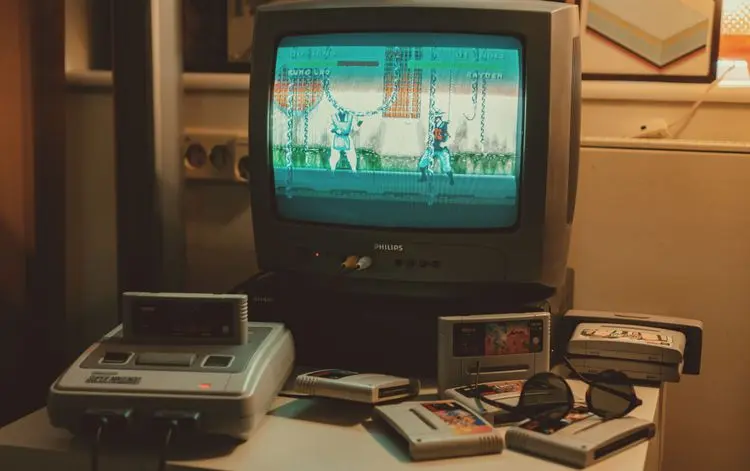
PAL vs NTSC-U vs NTSC-J: Understanding Video Game Region Codes
Unravel the differences between PAL, NTSC-U, and NTSC-J video game regions. Discover how region codes impact gameplay and compatibility. Start your retro gaming journey today!
Unlocking Nostalgia: How to Start Your Own Retro Gaming Collection
Discover the joy of retro gaming collection. Tips for beginners. Nostalgic journey through gaming history. Start your adventure today!
Awaiting New Challengers
Join The Bounty Board
Get exclusive first access to rare restocks, graded drops, and secret discount codes before anyone else.