Retro Game Collecting for Beginners: Start Under $200 in Europe
Published on October 14, 2026
Building an authentic retro gaming setup does not require thousands of euros or a room full of rare cardboard boxes. Our guide to retro game collecting for beginners breaks down exactly how to spend your first $200 (or €200) in the European market to get a reliable console, crisp video output on a modern television, and a stack of great games without falling for fake cartridges or region-lock traps.
How to Split Your First $200: Hardware, Cables, and Games
The biggest mistake newcomers make in budget retro game collecting is spending almost their entire budget on a bare console or a single expensive childhood game. Without the right power supply, a controller with tight analogue sticks, and a way to connect the system to a modern television, that console is just a plastic paperweight.
To get an immediately playable setup under $200/€200, we recommend the 50/20/30 rule:
- 50% (roughly €100) for Hardware: A tested base console, an original first-party controller, a genuine power brick, and a memory card if the system requires one.
- 20% (roughly €40) for Video Cables and Maintenance: Modern European TVs rarely include analogue inputs anymore, making a proper RGB SCART cable, Component cable, or HDMI adapter a mandatory day-one expense.
- 30% (roughly €60) for 3 to 5 Starter Games: Enough budget to pick up several classic, high-replayability titles by focusing on common releases rather than rare collector pieces.
Discipline is essential during your first month. Stick to one platform initially rather than buying three cheap, untested consoles from a boot sale that lack proprietary power bricks or AV leads. Tracking down genuine replacement power supplies and controllers separately almost always costs more than buying a complete, tested console bundle upfront.
The Best Entry-Level Consoles for PAL Collectors
When looking at the cheapest retro consoles to collect for, systems with built-in backward compatibility offer the best value for money. Buying one piece of hardware that natively plays two generations of games immediately doubles your library options while keeping living room clutter to a minimum.
| Console Model | Native Libraries Played | Best Budget Video Output | Key Hardware Quirk to Watch |
|---|---|---|---|
| PlayStation 2 (SCPH-39004 or SCPH-70004+) | PS1 and PS2 (PAL) | Component (YPbPr) or RGB SCART | Avoid early SCPH-30004 models with tired laser mechanisms; don't forget a PS1 memory card for PS1 saves. |
| Nintendo Wii (RVL-001) | Wii and GameCube (PAL) | Component (480p) or Wii2HDMI | Must be the RVL-001 model with flip-top flaps for GameCube controller and memory card ports. |
| Sega Mega Drive (Model 1 or 2) | Mega Drive / Genesis | RGB SCART | Model 1 and Model 2 use entirely different AV pinouts and power supply polarities. |
| Game Boy Advance SP (AGS-001) | GB, GBC, and GBA (Region-Free) | Built-in Frontlit Screen | Uses a proprietary charger and rechargeable battery that may need a cheap replacement if swollen. |
PlayStation 2 (SCPH-39004 or Slim SCPH-70004+)
The PlayStation 2 is arguably the king of budget retro game collecting for beginners. Every PAL PS2 plays both PS2 and original PlayStation (PS1) discs out of the box. If you prefer the original "Fat" design, look for the SCPH-39004 or SCPH-50004 revisions (the "04" denotes a PAL European system); the 39004 is loud like a jet engine, but its optical drive is built like a tank. If you prefer a Slim, the SCPH-70004 and later revisions save space, though you should check that the disc ribbon cable isn't lifting up and scratching discs. Remember that while PS1 games run on a PS2, you still need an original PS1 Memory Card (SCPH-1020) to save your progress in PS1 titles.
Nintendo Wii (RVL-001 Model Only)
Original Nintendo GameCube consoles and their official controllers have climbed steeply in price across Europe, making the launch-era Nintendo Wii (RVL-001) the ultimate budget secret. Inside, the original Wii is essentially an overclocked GameCube. By lifting the top plastic flaps on an RVL-001 unit, you reveal four native GameCube controller ports and two memory card slots. Paired with affordable Wii Component cables, it outputs clean 480p progressive scan video, completely bypassing the exorbitant cost of an official GameCube Digital AV cable. Avoid the later RVL-101 (Wii Family Edition) and RVL-201 (Wii Mini), as Nintendo stripped out all GameCube compatibility in those revisions.
Sega Mega Drive (Model 1 or Model 2)
If you want the tactile satisfaction of slotting cartridges into a 16-bit console, the Sega Mega Drive is significantly gentler on a €200 budget than the Super Nintendo. Sega shipped most Mega Drive games in sturdy black plastic clamshell cases rather than the fragile cardboard boxes Nintendo used. As a result, finding complete, boxed PAL Mega Drive games is much easier and cheaper today. Both the original Model 1 (1600/1601) and the smaller Model 2 (MK-1631) are reliable workhorses, though the Model 1 with "High Definition Graphics" printed on the shell is prized for its superior internal audio chip.
Game Boy Advance SP (AGS-001)
Handheld collectors can skip television cable headaches entirely with the Game Boy Advance SP. While collectors pay a hefty premium for the backlit AGS-101 revision, the standard frontlit AGS-001 fits comfortably inside a beginner budget and lets you play in the dark without expensive screen modifications. It plays three generations of cartridges natively: original monochrome Game Boy, Game Boy Color, and Game Boy Advance.
Understanding PAL Territory Realities: 50Hz, Borders, and Language Codes
Most online collecting guides are written for North American (NTSC) buyers, which leaves European newcomers vulnerable to costly mistakes. A solid PAL retro gaming guide must address two unique European hurdles: refresh rates and language locks.
The 50Hz vs 60Hz Speed Trap
Analogue televisions in Europe ran on a 50Hz electrical standard (PAL), whereas North America and Japan used 60Hz (NTSC). During the 8-bit and 16-bit eras (NES, Master System, SNES, Mega Drive), many developers simply dropped their games onto PAL cartridges without adjusting the code. Consequently, unoptimised PAL classics like Sonic the Hedgehog on the Mega Drive or Super Mario Kart on the SNES run roughly 17.5% slower than intended, complete with slowed-down music and thick black borders at the top and bottom of the screen.
Some developers—most notably Rare with Donkey Kong Country on the SNES—properly optimised their PAL games for full speed and full screen. By the sixth generation (Dreamcast, PS2, GameCube, Xbox), many games introduced a PAL60 selector screen on boot, letting European players enjoy full-speed 60Hz gameplay cleanly.
Decoding European Region and Language Codes
Unlike North America, where virtually every release is in English, PAL territory games were often localised for specific countries. Before buying an RPG or text-heavy adventure game like Pokémon, Final Fantasy, or The Legend of Zelda, always check the cartridge code and the back of the box.
On Nintendo cartridges and boxes (NES through DS), look at the three-letter suffix at the end of the serial code:
- UKV: United Kingdom (English language guaranteed).
- NOE: Nintendo of Europe / Germany (Frequently German text only on older RPGs).
- FAH: France and Holland (Often French text on RPGs, or French/Dutch packaging).
- FRA / ITA / ESP: Country-specific releases for France, Italy, and Spain.
- EUR: General European release, usually containing a Multi-5 language select screen (English, French, German, Spanish, Italian).
While an arcade racer in German is perfectly playable, accidentally buying an NOE copy of Pokémon Sapphire or a French SLES release of Final Fantasy VII means the game will be locked entirely to that language with no English option in the settings menu.
Explore products
Explore more products from our catalogue.
Loose, Boxed, or CIB: Where Beginners Should Spend
Understanding grading terminology helps you stretch your starter budget without buying damaged goods. In retro game collecting for beginners, condition usually falls into three tiers:
- Loose: The cartridge or optical disc by itself, with no case or paperwork.
- Boxed: The original game inside its original retail box or plastic case, but missing the instruction booklet.
- CIB (Complete in Box): The game, original retail box, instruction manual, and any mandatory inner tray. (Hardcore collectors sometimes reserve CIB for copies that also include every promotional poster and warranty card).
Deciding between CIB vs loose retro games depends entirely on the storage medium. For Nintendo cartridge systems (NES, SNES, N64, Game Boy, GBA), games were sold in thin cardboard boxes that millions of children threw straight into the bin. Today, a cardboard box and manual regularly triple or quadruple the price of a loose cartridge. Beginners should buy loose cartridges for Nintendo systems to maximise their playable library.
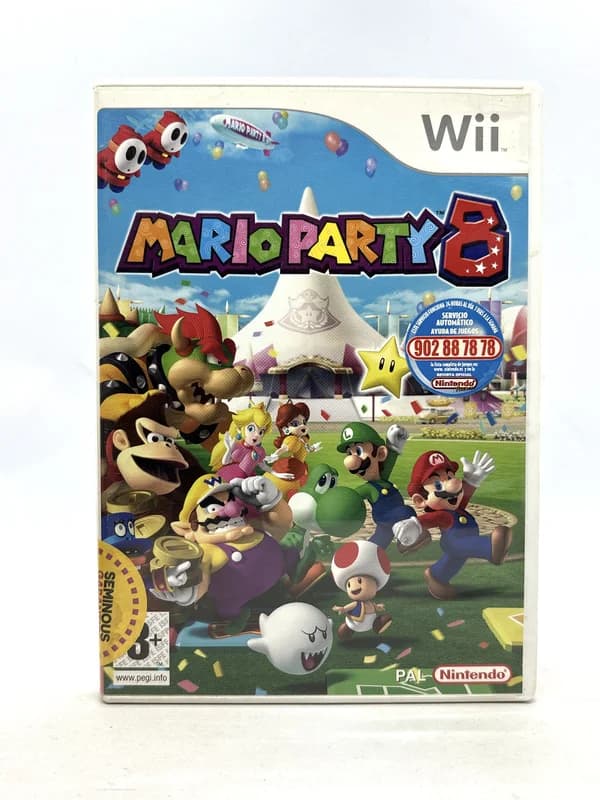
Conversely, you should always buy Boxed or CIB for optical disc systems (PS1, PS2, Sega Saturn, Dreamcast, GameCube, Wii) and Sega Mega Drive cartridges. Loose discs scratch easily, and PS1 cases or Mega Drive clamshells were durable enough that complete copies often cost barely a few euros more than loose discs.
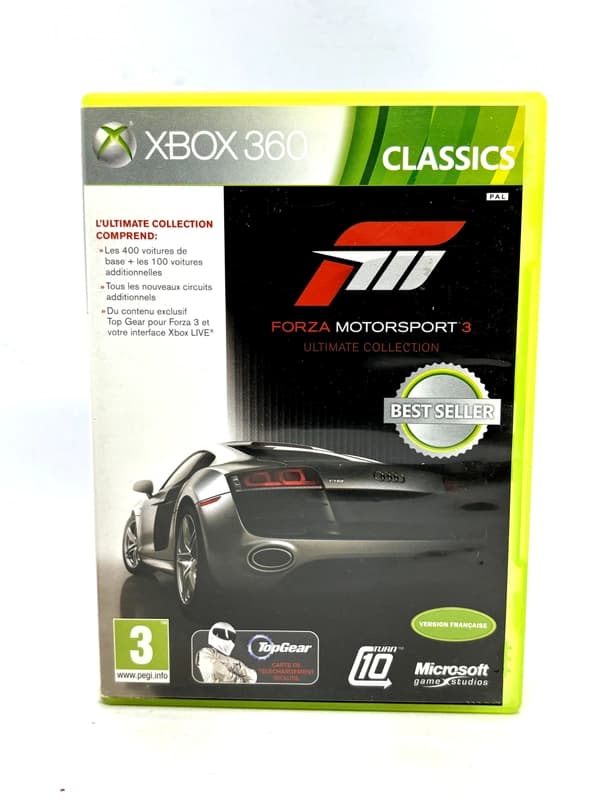
Finally, embrace budget re-releases. Sony Platinum, Nintendo Player's Choice, and Xbox Classics releases may have silver or yellow borders on the spine that some purists dislike, but the disc inside is functionally identical—and occasionally contains patches that fix game-breaking bugs found on the original black-label print.
Connecting Retro Consoles to a Modern TV Without Breaking the Bank
Nothing kills retro nostalgia faster than plugging a console into a 4K Smart TV and seeing a smeared, laggy mess. Learning the basics of connecting retro consoles to a modern TV will save you from wasting money on terrible adapters.